
Skip to content
Clicker
Menu

Version 2.2.0 for macOS and Windows

The auto clicker that moves like a person.

Clicker clicks on a schedule with WindMouse movement that looks human and records your mouse and keyboard into macros you can edit and replay. One window. Light and dark themes. Global hotkeys.

Free to try for 14 days. Buy a license to keep using it. macOS 14 or later on Apple silicon. Windows 10 or 11 (64 bit).

The Clicker window on the Auto Clicker page with the Where to click and Click and Timing and Stop and Start groups and the Start and Stop buttons

Built around one window

Everything in one place

No launcher and no stack of tool windows. Clicker is one window with a sidebar and two pages and a permission panel that tells you what is on and what is off.

One window with a sidebar

Auto Clicker and Macro Recorder are two pages in one window. A dot marks a page while it counts down or runs or records. Command 1 and Command 2 switch pages. Profile edits autosave and come back on the next start with the Edited chip.

A menu bar item

It shows whether Clicker is idle or running. Its menu holds a status line and Start Auto Clicker or Stop and Open Clicker and Quit Clicker. It never covers a click target and Stop ends a run as fast as the Stop button.

Settings that apply at once

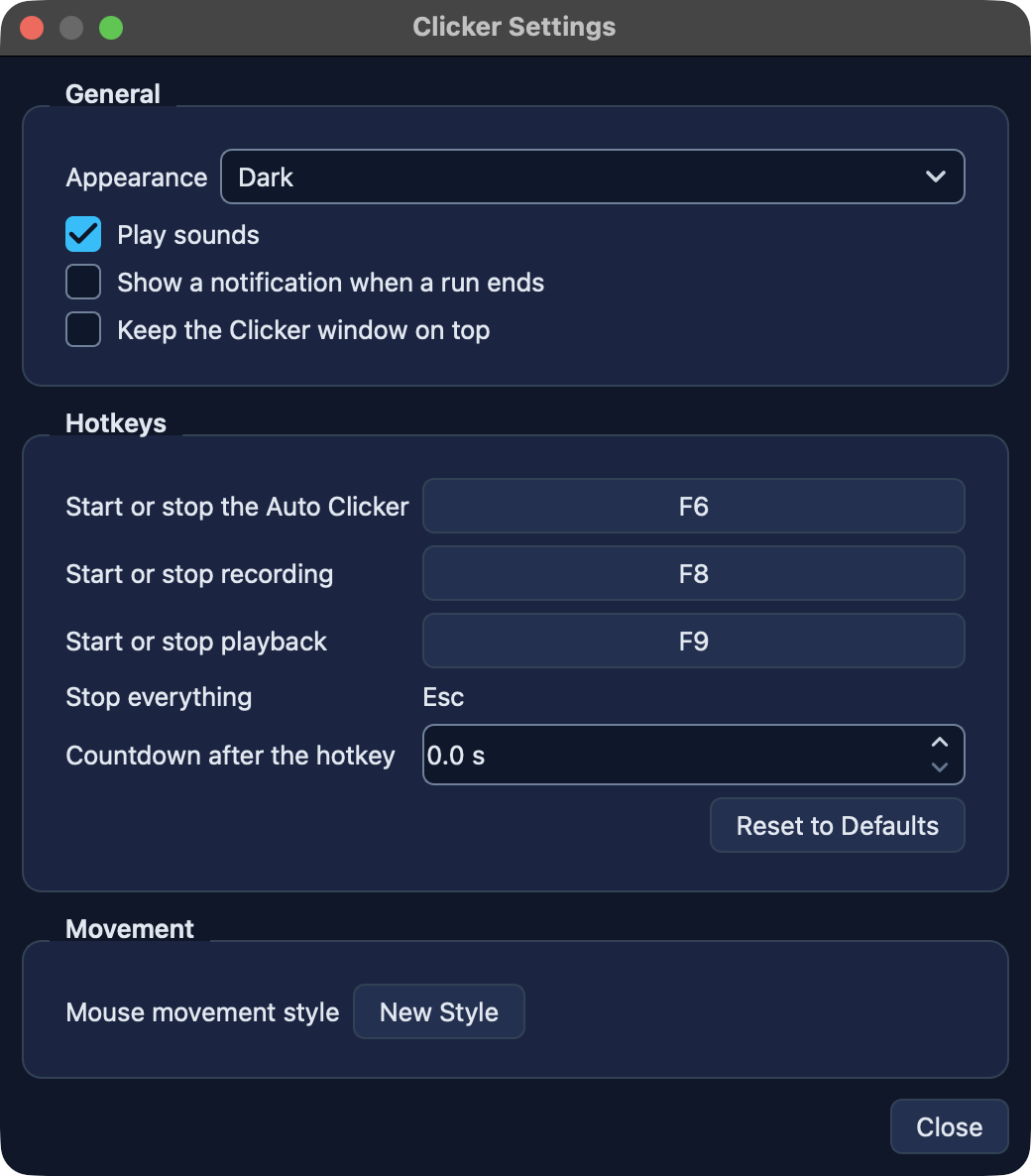
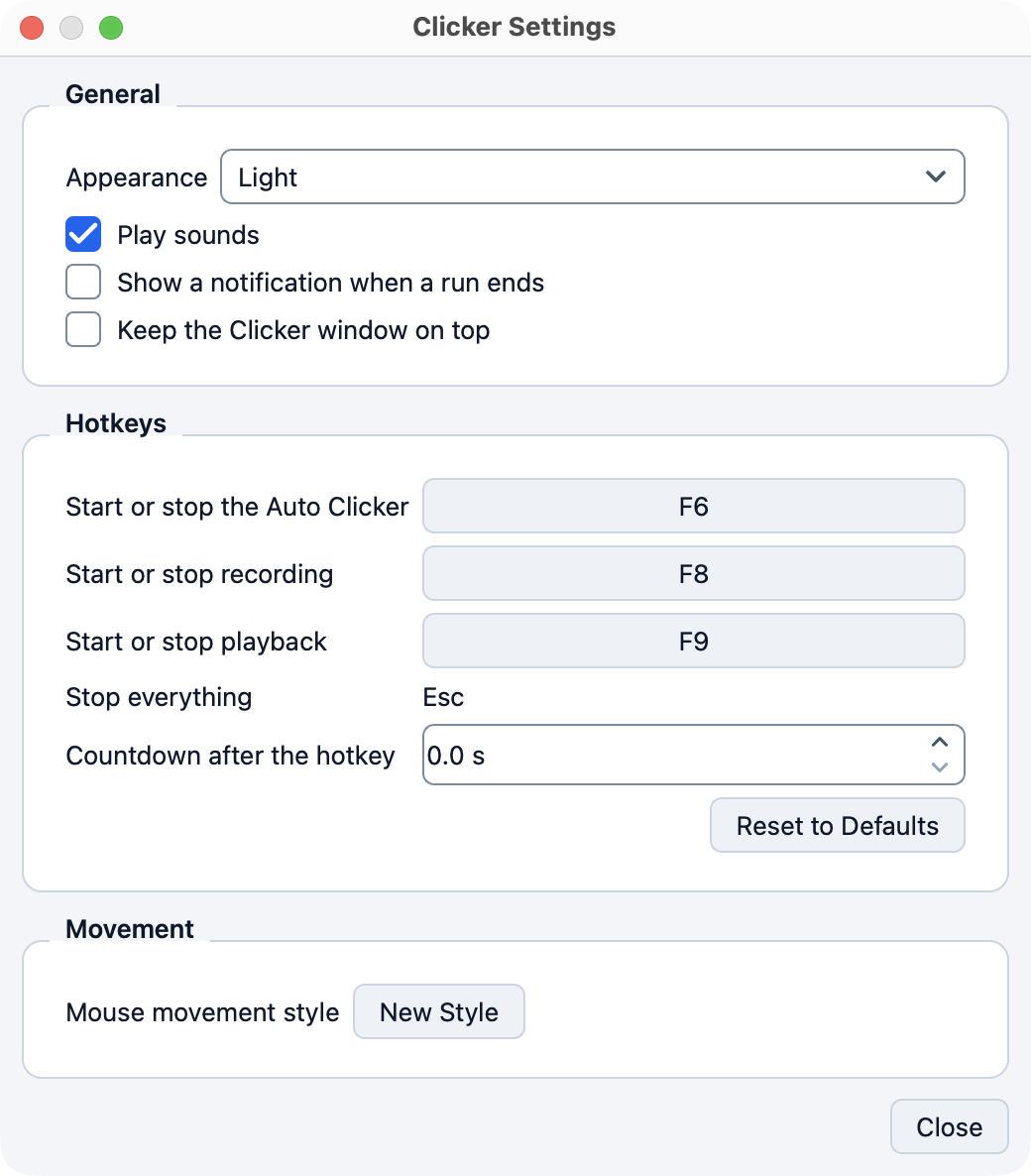
Appearance (System or Light or Dark) and Play sounds and Show a notification when a run ends and Keep the Clicker window on top. Three rebindable hotkeys with the countdown after the hotkey. New Style rolls a new mouse movement style.

Auto Clicker

Click exactly where and when you want

Pick a mode and a button and an interval and a stop rule. Press Start or F6 and watch the run panel count.

Five ways to pick where to click
Pointer clicks under the cursor. Point clicks a fixed spot picked after a 3 s countdown. Area clicks a random point inside a rectangle you select. Image clicks a detected template. Sequence runs a list of steps.
Any button and any click
Left or Right or Middle. Single or Double or Triple or Hold with its own Hold for time. Add a modifier that stays held during the click.
Timing in hours and minutes and seconds and milliseconds
Set Click every down to the millisecond. Add a random offset and an optional varied rhythm that keeps the average interval on your setting.
Stop rules that hold
Stop when you say so or after N clicks or after a time. No click starts after the time ends.
Sequences of up to 200 steps
Add Step picks a point and appends a step. Each step has its own point and button and click and a pause after its press. Edit and Remove and Up and Down and Test Step work on the selected step and Repeat runs the steps N rounds or until you stop it.
Image mode you can test
Image mode shows the template thumbnail. Test Detection hides Clicker and marks the best match on screen with its score and says whether it passes the match strictness.
A live run panel
Under Start and Stop the panel shows the state and the clicks and the elapsed time and the rate and what is left. After a run it keeps the sentence that names why the run ended.
Profiles by name
The Profile picker saves and switches named settings. Save As New Profile and Rename and Delete to the Trash and Import Profile File and Reset Settings to Defaults sit under More.
Show before you start
Show flashes the saved point or area for 2 s so you see exactly where the clicks land. A fixed point outside every screen refuses the start.
The Auto Clicker page with Area selected and a 150 ms interval with a 50 ms random offset

The Auto Clicker page. The screenshot follows your light or dark setting.

The Macro Recorder page with the event table and the Clean Up and Playback groups and the Record and Play buttons

The Macro Recorder page with a recorded macro open in the event table.

Macro Recorder

Record once. Edit. Replay.

Press F8 and do the task. Press F8 again and the macro is in the editor. Clean it up and play it back as many times as you need.

Records everything you do
Mouse moves and clicks and drags and scrolls and key presses with modifiers through a Quartz event tap on macOS. Clicker never records its own output. Recording needs macOS in this release and playback and the macro editor run on macOS and Windows.
An event table you can edit
Every event with the columns Time and Kind and Position and Key or button and Delay. Delete and Insert Wait and Set Delay and Edit Position and Edit Key and Up and Down with Undo and Redo. A key press and its release always move and delete together.
Clean Up in one click
Trim Idle Time at Start and End. Remove Mouse Moves. Simplify Mouse Moves. The stats line shows the length and the count of moves and clicks and keys and scrolls.
Playback the way you need it
Repeat N times or until you stop it or for a set time with a pause between repeats and a speed from 1 to 1000 percent.
A macro library
Named macros with a Recent list. Save As New Macro and Rename and Delete to the Trash and Import Macro File. Record asks before it replaces an unsaved macro.
Plain text macro files
Macro files keep typed keys as plain text so you can read what a macro types before you play it.

Human-like movement

WindMouse paths

Every move follows a WindMouse path with a session personality and fatigue and idle micro movements. New Style in Settings rolls a new movement style whenever you want one.

Safe by default

Never clicks itself

Clicks never land on a visible Clicker window. Three skipped clicks in a row stop the run with the Clicks blocked message. Esc stops every run and recording and playback at once.

Hands on the keyboard

Global hotkeys

  • Start or stop the Auto ClickerF6
  • Start or stop recordingF8
  • Start or stop playbackF9
  • Stop everythingEsc

Rebind F6 and F8 and F9 in Settings. Esc stays fixed. Global on macOS with Input Monitoring. On Windows they work while a Clicker window is focused.

Light and dark

Follows your system

Appearance reads System by default and follows the system appearance. Pick Light or Dark in Settings to pin one. Every change in the Settings window applies at once.

  • General: Appearance and Play sounds and Show a notification when a run ends and Keep the Clicker window on top
  • Hotkeys: the three rebindable hotkeys and the countdown after the hotkey and Reset to Defaults
  • Movement: New Style rolls a new mouse movement style
The Settings window in the light theme
The Settings window in the dark theme

Honest about permissions

Three grants on macOS. Nothing else.

macOS asks you to switch Clicker on in System Settings > Privacy & Security. The permission panel reads the three permissions every 2 s and offers the next step for each one. Windows has no counterpart and asks for no permission.

Accessibility

Needed to post clicks and keystrokes.

Input Monitoring

Needed to record and for global hotkeys.

Screen Recording

Needed for image detection.

Settings and profiles and macros stay in a folder on your computer. Clicker contacts clicker.x4ops.com for the trial and the license alone and sends a hash of the machine and the trial start and the key and the app version and a protocol version number and a random request number and nothing else. Like every web server it sees the internet address of the connection and no record stores it. No name and no email and no file content leave the computer. Read the privacy page.

Pricing

One subscription. Every x4ops app.

Try the full app free for 14 days. Then one x4ops subscription for 9.99 EUR every 6 months covers Clicker and every x4ops app on up to 3 computers. Cancel any time.

Try it

Free

for 14 days

  • The full app with every feature
  • Free for 14 days from your first launch
  • No account and no sign up
  • The same download as the paid version
Subscription

x4ops subscription

9.99 EUR

every 6 months. cancel any time

  • One person on up to three computers
  • Clicker and every x4ops app with every update
  • Refund within 14 days of a payment
  • Email support from x4ops

Free to try for 14 days. Subscribe to keep using it.

Questions

Which computers does Clicker run on?
On macOS Clicker needs macOS 14 or later on Apple silicon (M1 or later). There is no Intel build. On Windows it needs Windows 10 or 11 (64 bit) and comes as a zip with Clicker.exe inside.
Is the trial the full app?
Yes. The download on this site is the full app and it is free to try for 14 days. The trial starts with one online contact to clicker.x4ops.com. After the 14 days Clicker still opens and your settings and macros stay and runs and recordings and playback need the license key from the purchase email. The License and subscription guide explains it.
Why does macOS warn me on the first open?
Clicker is signed with the developer's own signing identity and is not notarized by Apple. The download page walks you through the one time Open Anyway step.
Why does Windows say Windows protected your PC?
The Windows build is not code signed so SmartScreen shows that message on the first run of Clicker.exe. Click More info and then Run anyway. The download page lists the Windows steps. Windows asks for no permission after that.
Which macOS permissions does it need?
Accessibility to post clicks and keystrokes. Input Monitoring to record and for global hotkeys. Screen Recording for image detection. The permission panel in the sidebar shows each one with its state and one action. Windows has no such permissions and asks for nothing.
Does Clicker click on its own window by mistake?
No. Clicks never land on a visible Clicker window. Three skipped clicks in a row stop the run with the Clicks blocked message. With hiding off a start over a Clicker window offers Hide Clicker and start.
Can I use it with any software?
Clicker posts real mouse and keyboard events so it works with any app on your computer. You must comply with the terms of service of the software where you use it. See the license terms.